
Conversation management
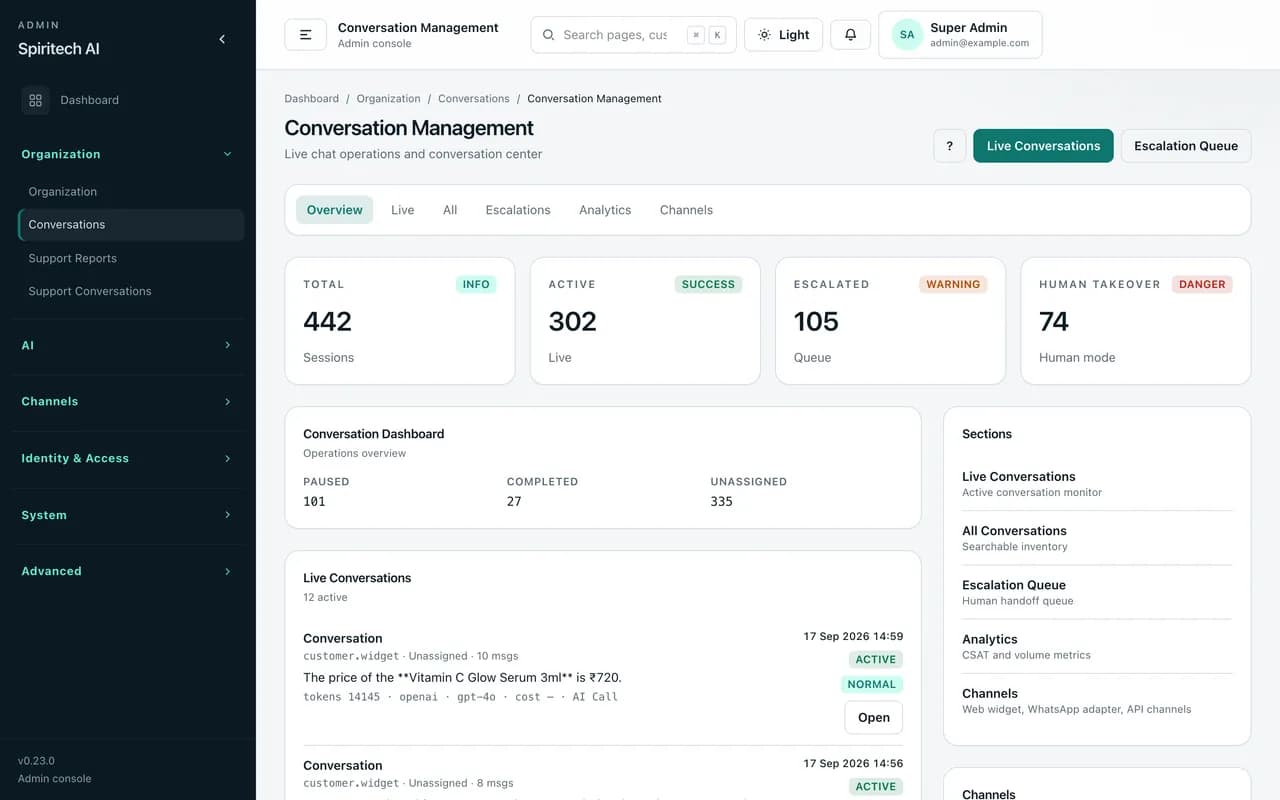
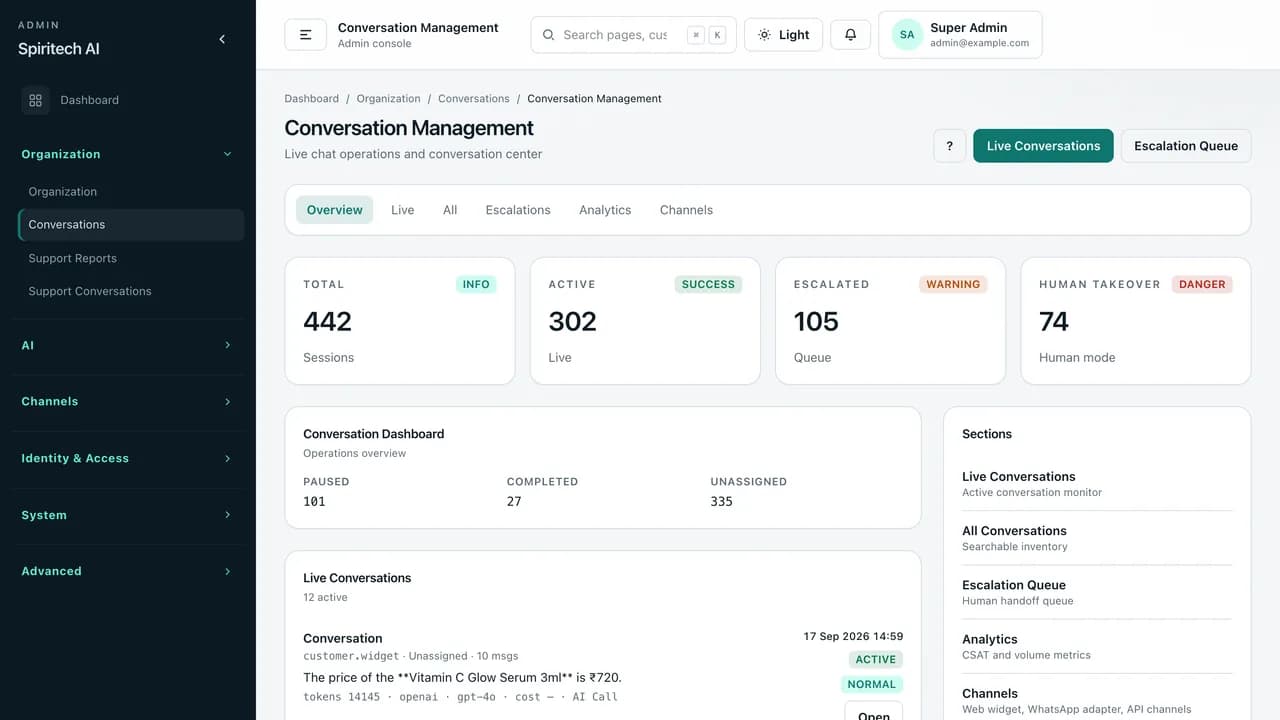
Monitor every chat in one place — total, live, escalated, and human-takeover sessions, with a live list showing the channel, AI provider and model, and token usage for each conversation.
ProductLiveAI customer support chatbot
AI customer-support chat bot for your website and WhatsApp — answers from your knowledge base and product catalogue, hands off to your support team when needed, and tracks every conversation.
AI Chat Bot is a self-hosted AI customer-support and product-assistant platform. Businesses add an embeddable chat widget to their website (and optionally a WhatsApp Cloud API number or a REST API channel), load their FAQs, policies, documents, and product catalogue, and let the assistant answer customer questions and suggest products from that content.
When a customer needs a person, conversations move to an escalation queue where support staff can take over, reply, add internal notes, raise official requests such as refunds, returns, replacements, or cancellations, and hand the chat back to the AI. Admins control prompts, agents, AI provider settings, usage and cost, users, and roles from one admin console.
It is deployed per business on that business's own server and database — white-label, not a shared multi-tenant SaaS.
Screenshots on this page are from a sample demo environment edited for marketing (brand shown as Spiritech AI / Demo Store; catalogue items, knowledge entries, and agent names replaced with sample data). They illustrate the product's module layout, not a specific client's live data.
Online stores, D2C brands, service businesses, and support teams that want an AI assistant on their website or WhatsApp. Typical users include store owners and admins who manage content, support agents and managers who handle handoffs, and developers who configure prompts, agents, and channels.
Customers ask the same questions about products, prices, usage, shipping, and returns — often outside working hours — and support teams lose time answering repetitive chats across website and WhatsApp.
AI Chat Bot answers from the business's own knowledge base and catalogue, escalates to a human when the customer asks or the case needs one, and keeps every conversation, handoff, and request in one place so nothing is lost between the bot and the support desk.
Monitor every chat in one place — total, live, escalated, and human-takeover sessions, with a live list showing the channel, AI provider and model, and token usage for each conversation.
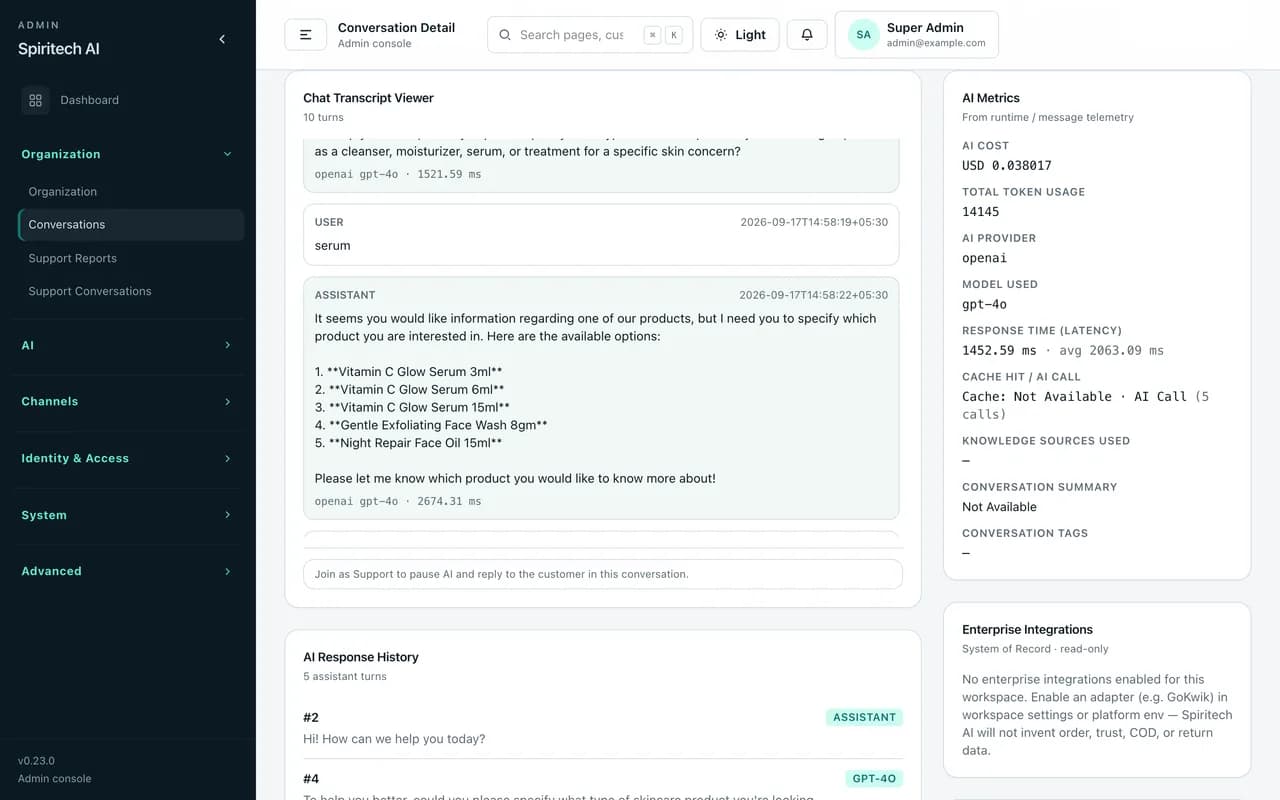
Open any conversation to read the full transcript turn by turn, with AI cost, token usage, provider and model, response latency, and knowledge sources used shown alongside.
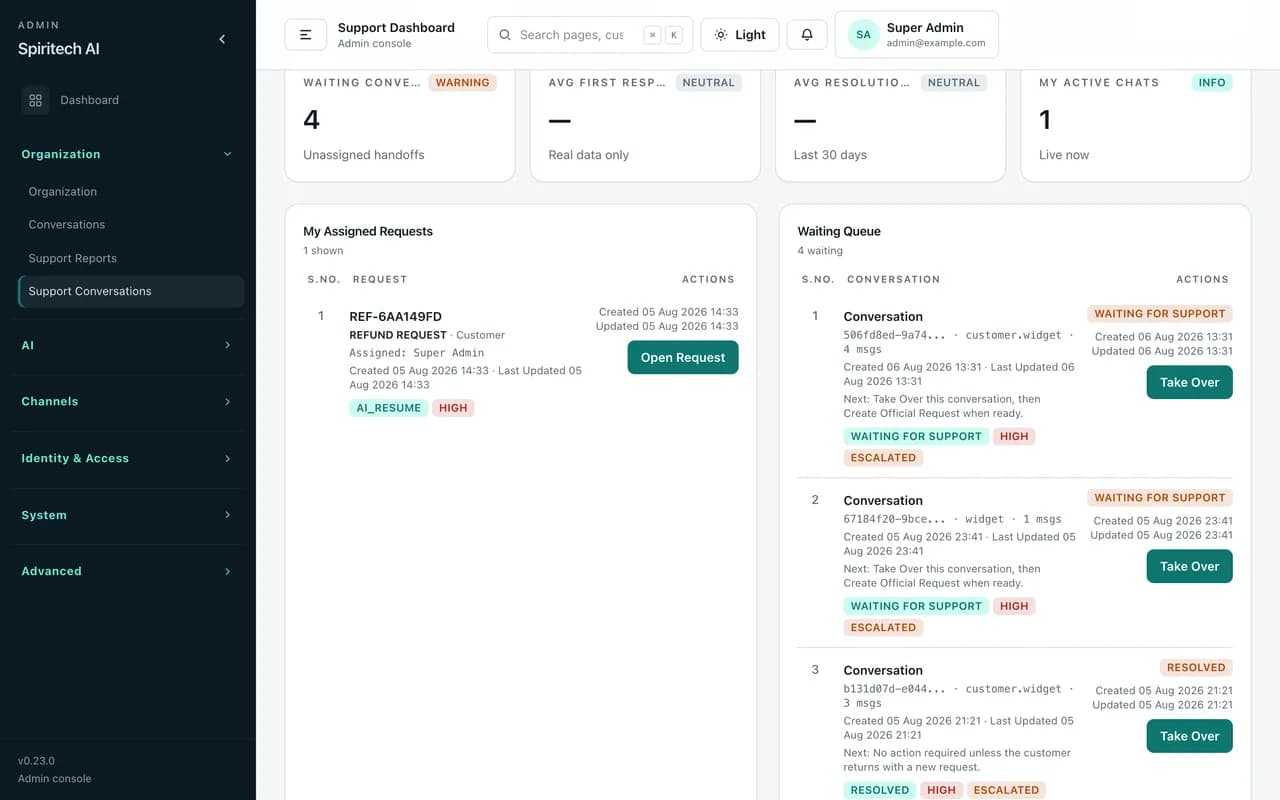
A support console for agents and managers: a waiting queue of escalated chats, one-click take over, assigned requests such as refunds and returns, internal notes, transfer, and resume-AI when the case is handled.
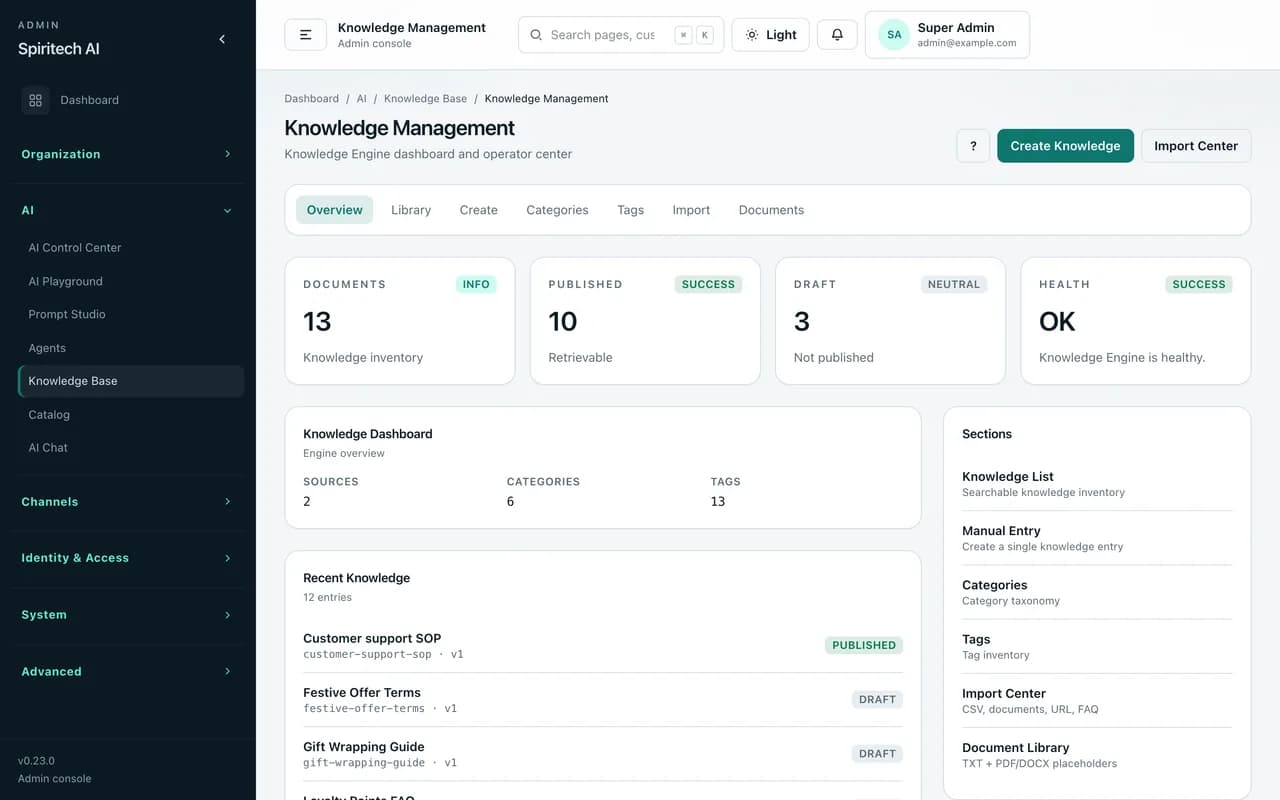
Keep FAQs, policies, SOPs, and guides the assistant answers from — with categories, tags, draft and published states, and imports from CSV, FAQ lists, website URLs, and PDF/DOCX/TXT documents.
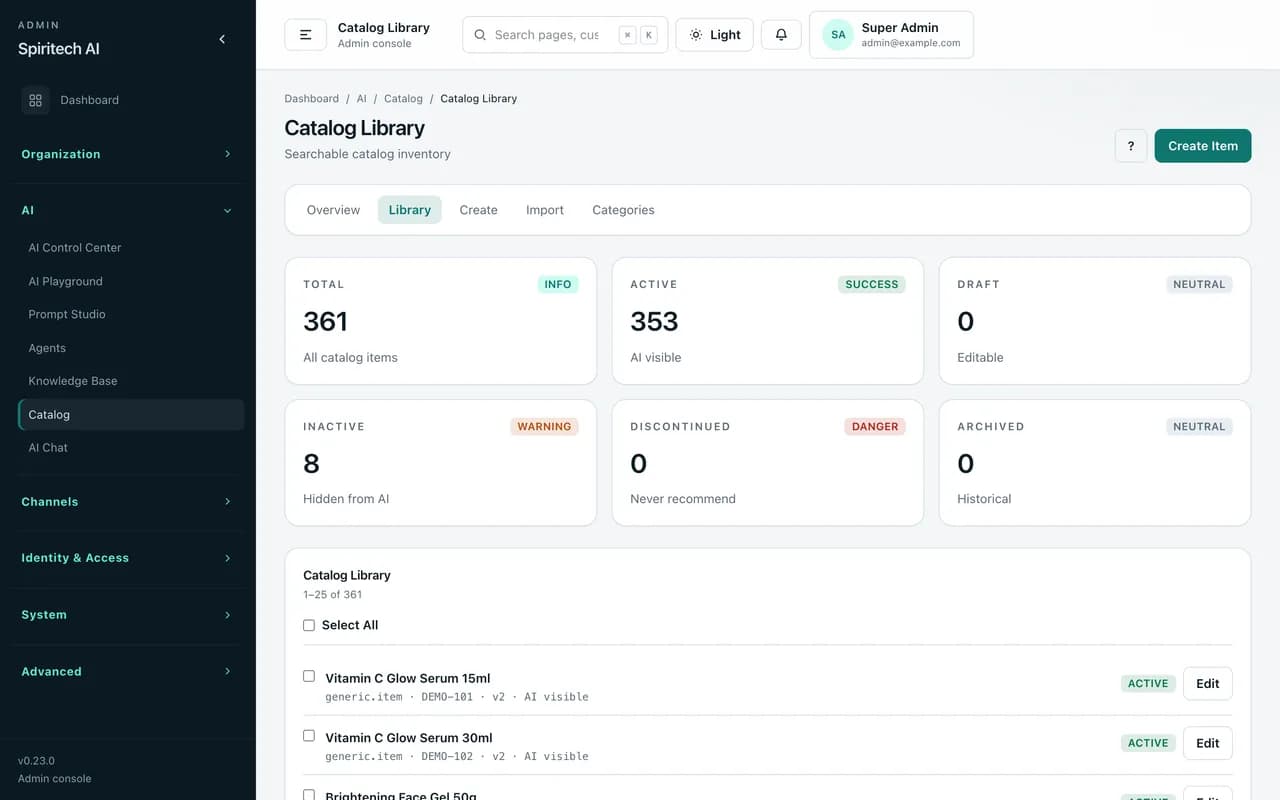
Import products and services from CSV or XLSX with field mapping and preview. Lifecycle status controls what the AI can recommend — active items are AI-visible, inactive or discontinued items are held back.
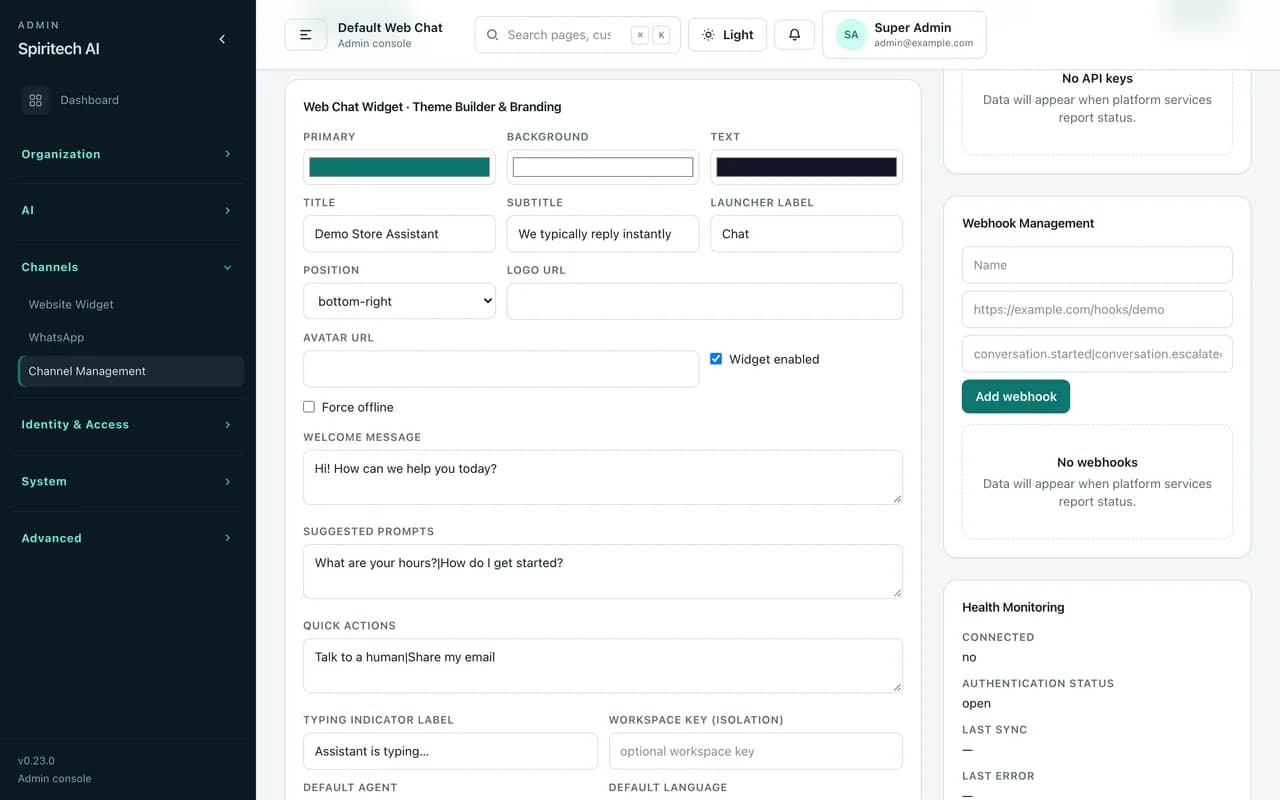
Brand the embeddable widget — colours, title, launcher label, position, welcome message, suggested prompts, and quick actions such as “Talk to a human” — plus domain whitelist, API keys, webhooks, and business hours.
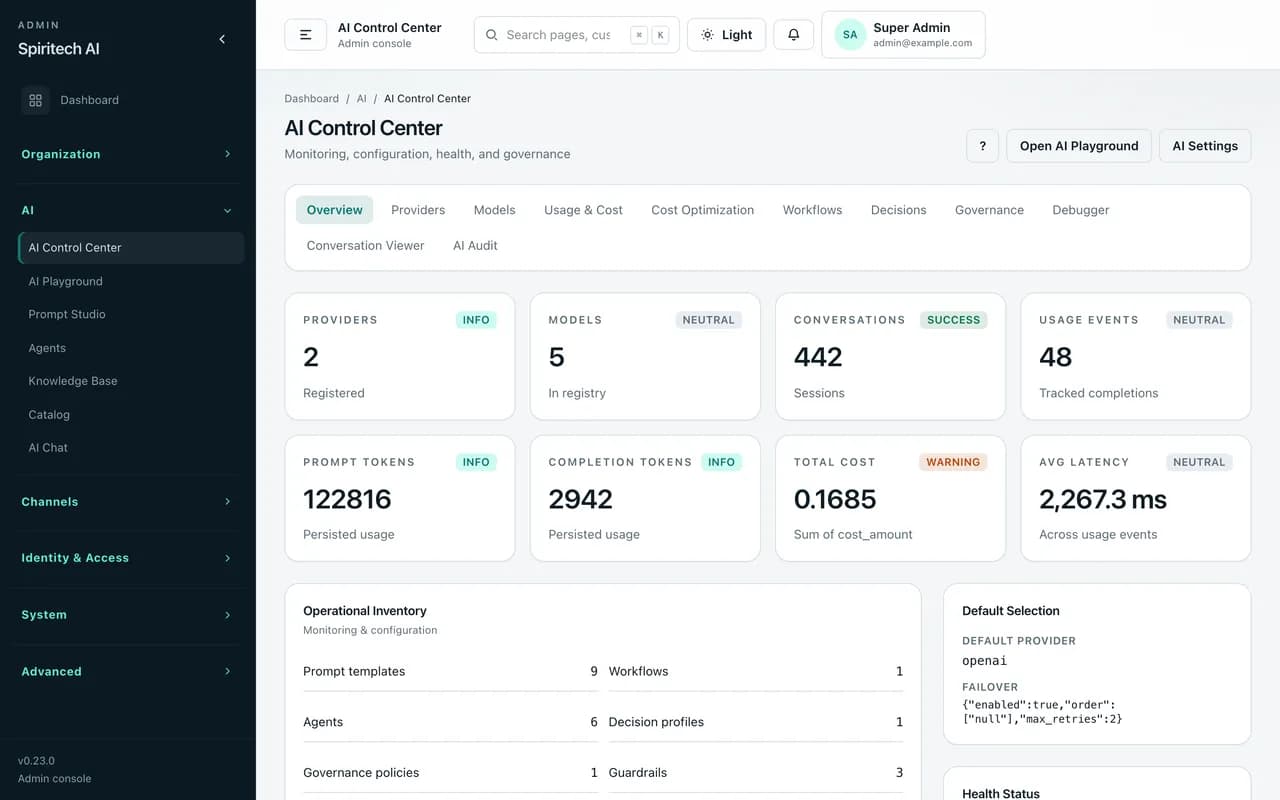
One dashboard for AI providers and models, prompt and completion tokens, total cost, average latency, prompt templates, agents, guardrails, and knowledge sources — with usage, governance, debugger, and audit views.
It is a self-hosted AI customer-support platform with a website chat widget, WhatsApp Cloud API and REST API channels, a knowledge base, a product catalogue, and a support console for human handoff. It is deployed per business.
From the content you load: knowledge entries (manual, CSV, FAQ, website URL, and PDF/DOCX/TXT documents) and catalogue items imported from CSV or XLSX. Only published knowledge and AI-visible catalogue items are used.
Yes. Conversations can be escalated to a queue where support agents take over, reply, add internal notes, transfer or forward to a manager, raise official requests, and resume the AI when done.
No. Screenshots are from a sample demo environment edited for marketing (Spiritech AI / Demo Store, sample catalogue and names). They show module layout, not a specific client's live data.
Each business gets its own installation on its own server and database, with white-label branding. AI provider keys and platform settings are configured in the admin console. It is not a shared multi-tenant SaaS.
Keep exploring
Request a walkthrough tailored to your workflows and questions.