
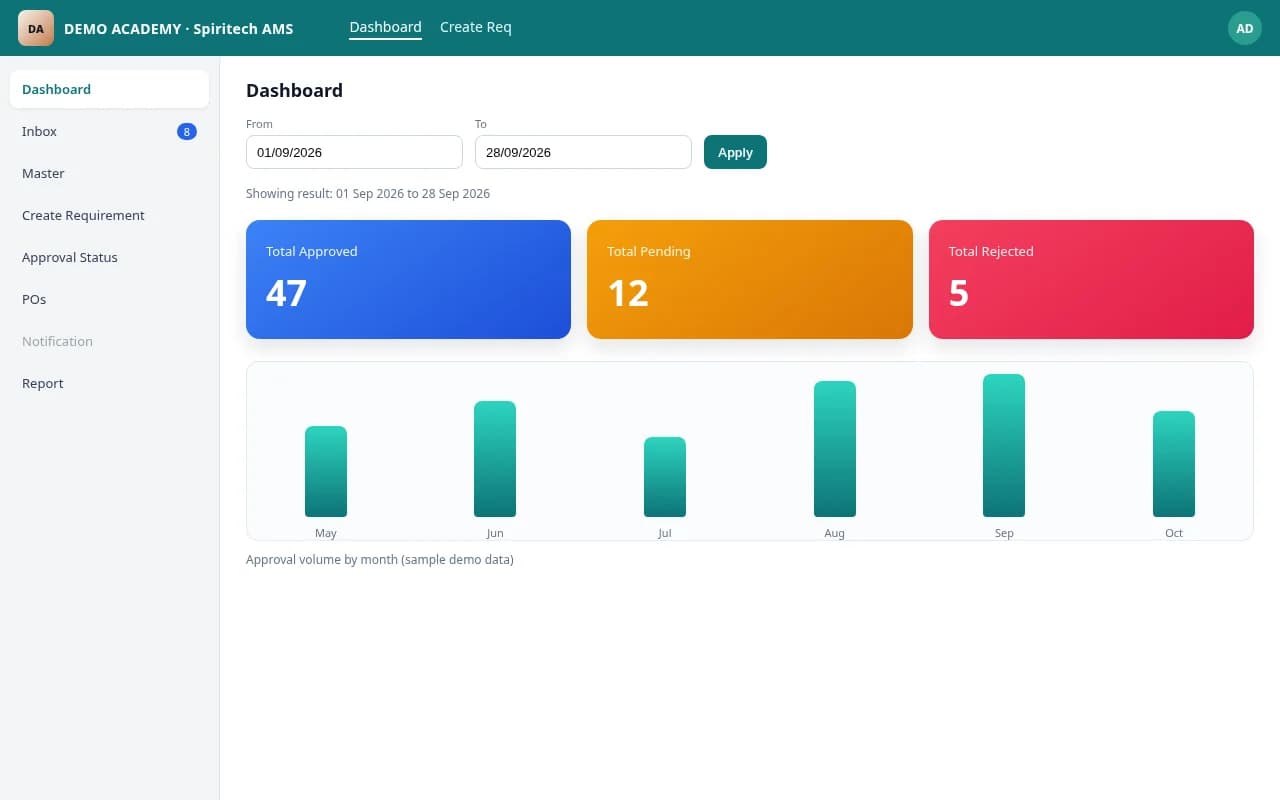
Dashboard
Overview of procurement activity — requests, approval progress, and operational status at a glance.
ProductLiveProduct / Operations software
Campus/org procurement approvals — raise requirements, route for approval, track pending/approved/rejected, generate POs, and see expense reports.
Institutional Approval Management System (APMS) is a web-based procurement approval system for colleges, institutions, and multi-department organizations. Teams use it to raise purchase requirements, route them for approval, track pending, approved, and rejected status, generate purchase orders, and review expense reports with organization, department, and vendor filters.
It is operations software for purchase approval control — not a marketplace and not a shared multi-tenant product. Deployments are per organization on that organization's hosting or server space.
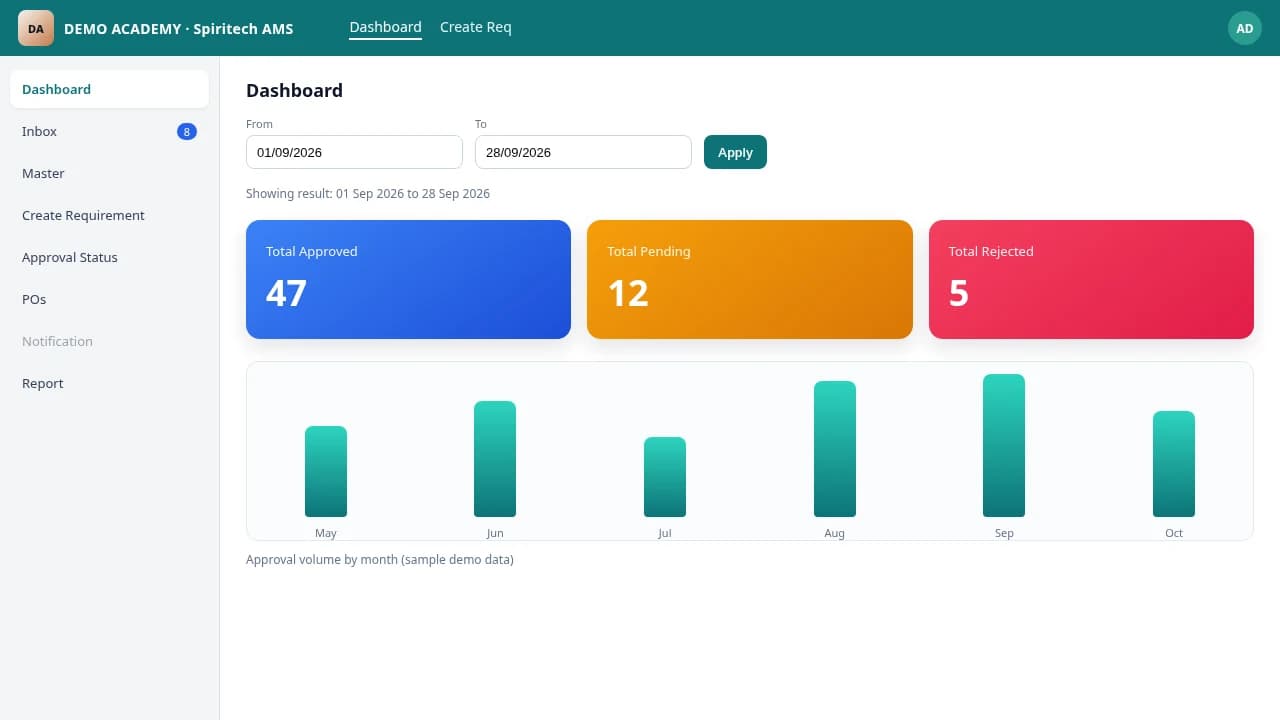
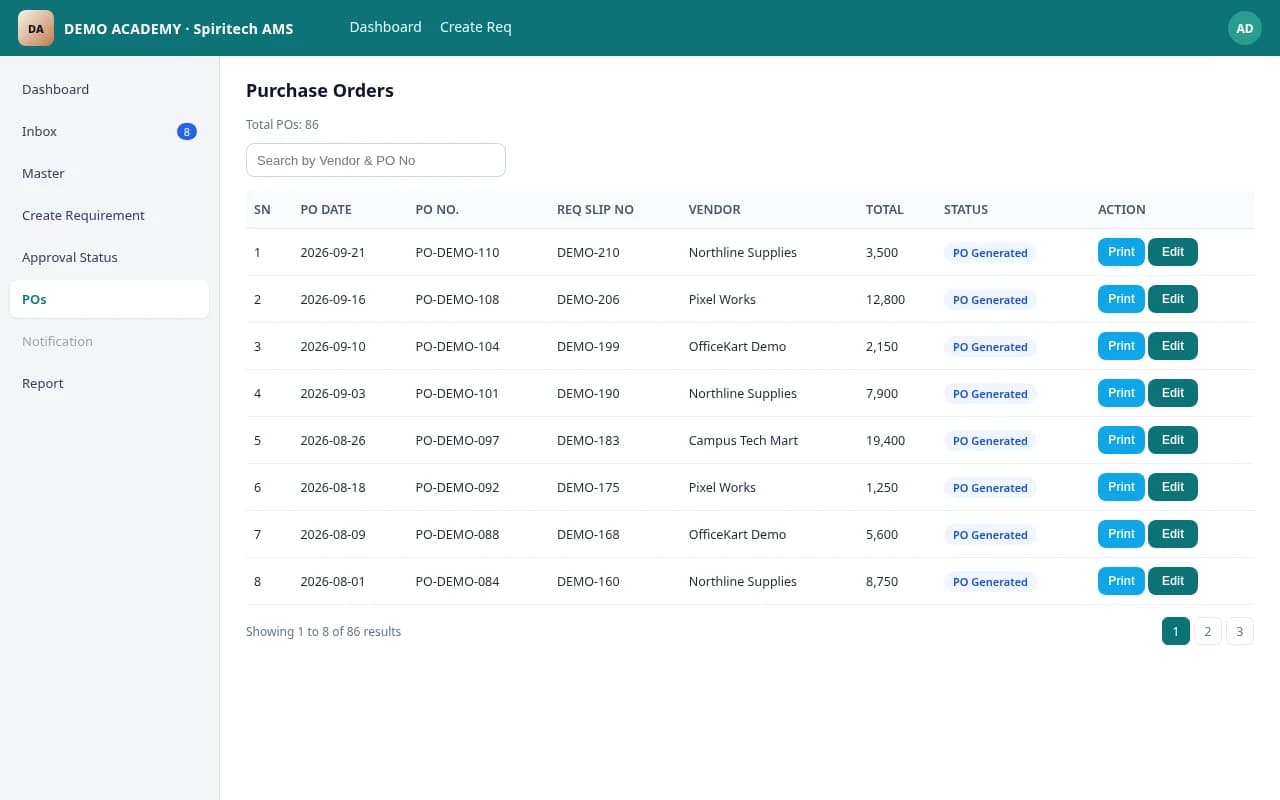
Screenshots on this page are from a sample demo environment edited for marketing (organization shown as Demo Academy / Spiritech Demo AMS; sample rows anonymized). They illustrate the product's module layout, not a specific client's live data.
Colleges, institutions, and multi-department organizations that need purchase approval control. Typical users include requesters, department approvers, purchase officers, and finance staff who review expense reports.
Paper and ad-hoc purchase requests lose visibility. Spend and approval status are hard to track when requests sit in email threads, spreadsheets, or informal handoffs.
APMS brings requirement raise, approval routing, purchase orders, and expense reporting into one web-based system so each organization works from a clear approval trail rather than disconnected files.
Overview of procurement activity — requests, approval progress, and operational status at a glance.
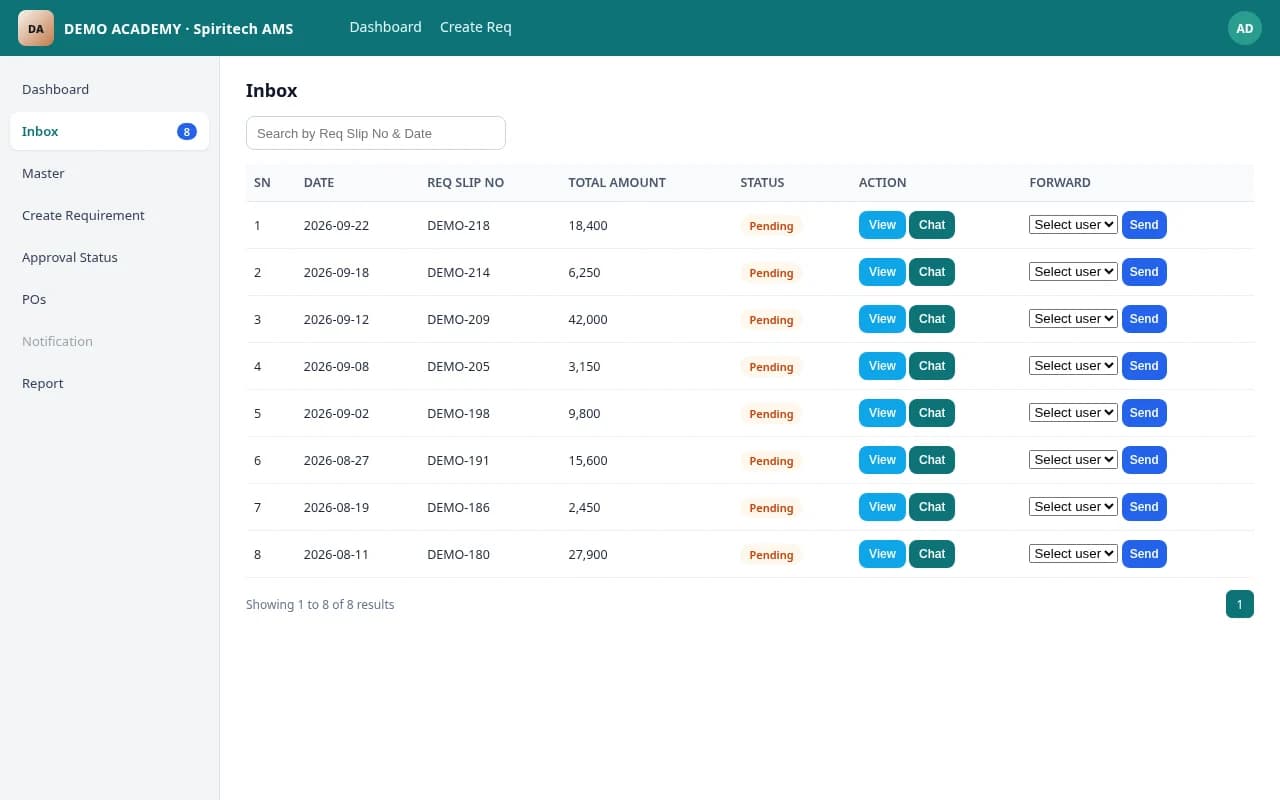
Incoming purchase requirements and approval items waiting for action by the right role.
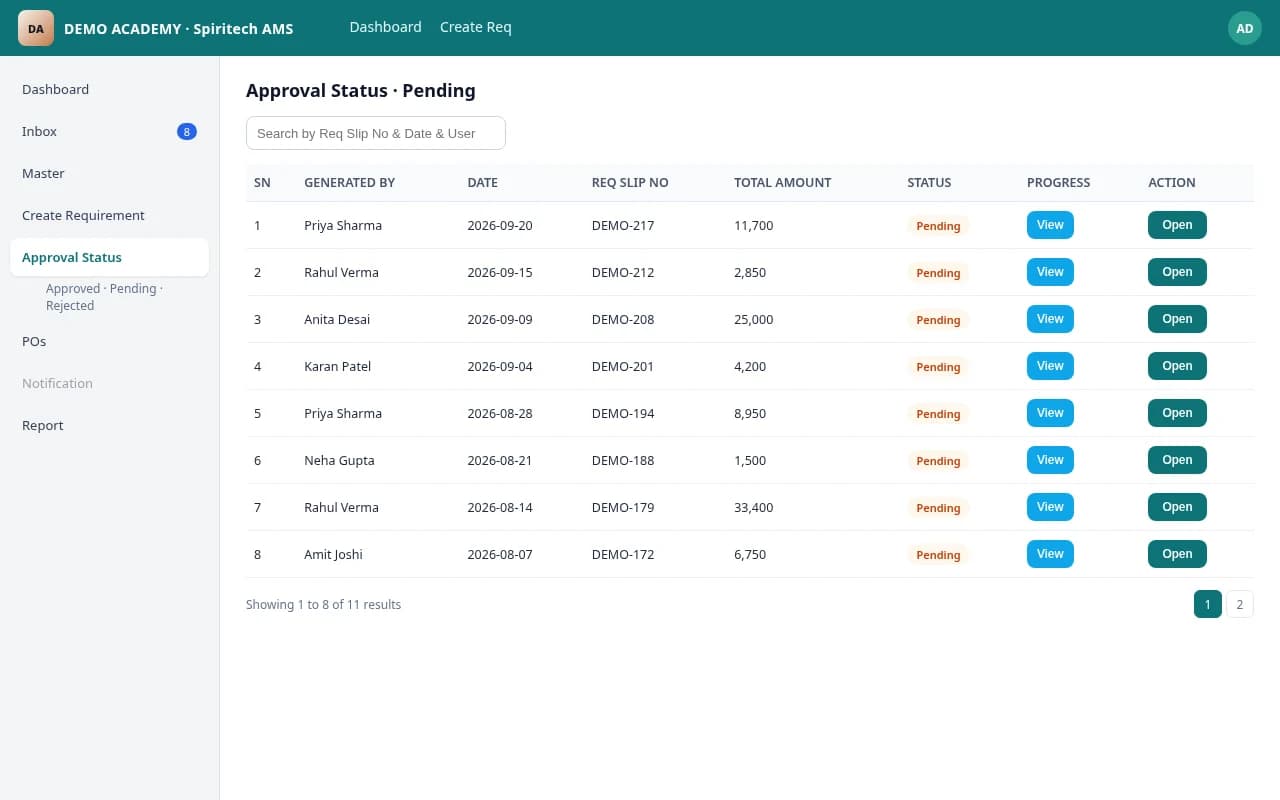
Track pending, approved, and rejected purchase requests with a clear status trail.
Generate and review purchase orders from approved requirements for procurement follow-through.
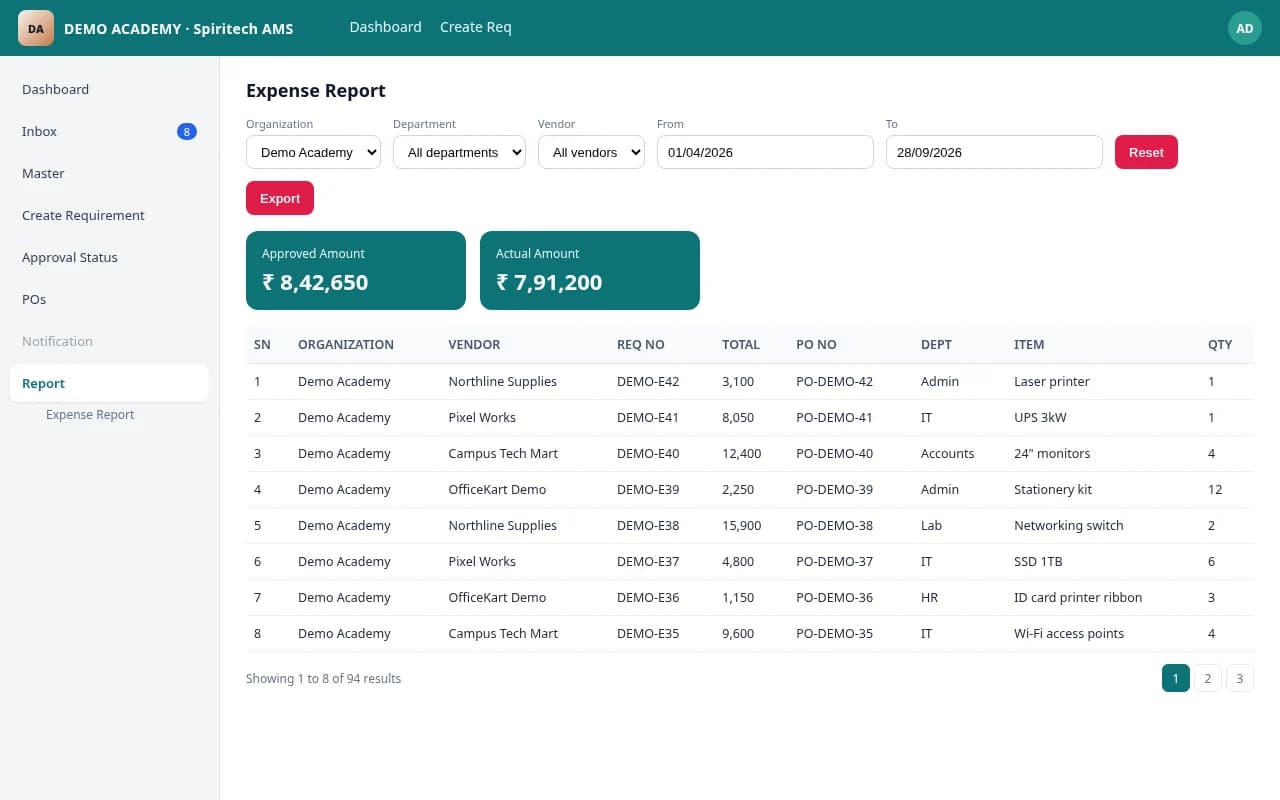
Expense reporting with organization, department, and vendor filters for spend visibility.
It is a web-based system for raising purchase requirements, routing them for approval, tracking pending/approved/rejected status, generating purchase orders, and reviewing expense reports. It is deployed per organization.
Colleges, institutions, and multi-department organizations that need purchase approval control. Users include requesters, department approvers, purchase officers, and finance staff.
Dashboard overview, inbox for incoming requests, approval status (pending/approved/rejected), purchase orders, and expense reports with organization, department, and vendor filters.
No. Screenshots are from a sample demo environment edited for marketing (Demo Academy / Spiritech Demo AMS, anonymized sample rows). They show module layout, not a specific client's live data.
Each organization gets its own deployment on that organization's hosting or server space. Hosting can be provided or managed separately when agreed. It is not a single shared system for many organizations.
Keep exploring
Request a walkthrough tailored to your workflows and questions.